Features

What is actually inside Billing Rasoi

POS billing, KOT, stock, GST and multi-outlet control. One system, one login.

POS & Orders

Dine-in, takeaway, delivery and app orders on one screen.

KOT & Kitchen

Digital kitchen tickets, routed by station, with live status.

Menu Management

Build menus, items, add-ons and prices for every outlet.

Stock Tracking

Follow ingredients, recipes and stock across your locations.

Multi-Outlet

Menus, prices and reporting handled from one place.

Reports

Sales, tax and stock reports, with API access if you need it.

POS & Orders

Billing that keeps up during a rush

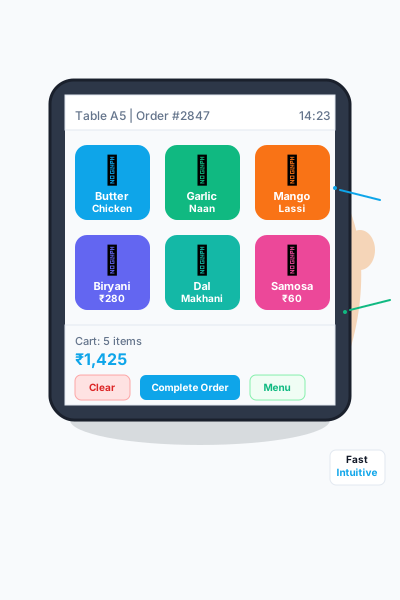
One screen covers dine-in, takeaway, delivery and app orders. The layout is plain enough that new staff pick it up in a shift or two.

  • Dine-in, takeaway, delivery and app orders on one terminal
  • The whole order path: placed, KOT, ready, billed
  • Cash, card, UPI and wallet payments
  • Tax set per order, with separate tax parts where needed
  • Split bills and table-wise orders
  • Returns and refunds, with approval before they go through
POS & Orders Interface

KOT & Kitchen

Fewer mixed-up orders, quicker tickets

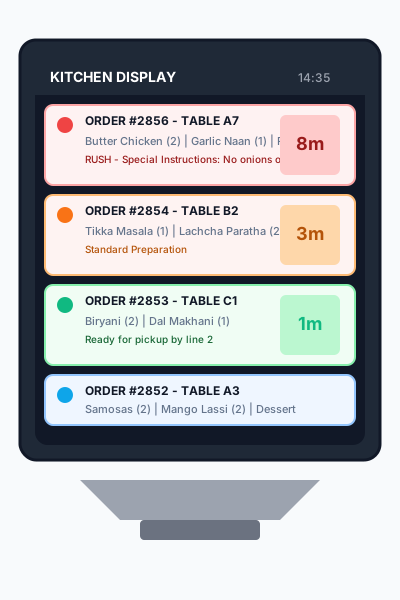
Orders go from the POS to the kitchen screen on their own, so nothing is lost on a paper slip and the kitchen knows what to cook first.

  • A kitchen display with orders streaming in live
  • Items routed to the right station, in priority order
  • Prep status, plus an estimate of when a dish will be ready
  • Thermal printer support if you still want paper tickets
  • Several stations working together, with call bells
  • Merge or split orders for batch cooking
KOT & Kitchen Interface

Menu Management

Build the menu once, use it everywhere

Set up categories, add-ons and prices once, then use the same menu for dine-in, takeaway and QR ordering.

  • Separate menus for dine-in, takeaway, delivery and QR
  • Categories that nest, sorted the way you want them
  • Add-ons and choices, each with its own price
  • Photos, descriptions and veg or non-veg marks
  • Prices that change by outlet or by time of day
  • A recipe behind each item, for cost tracking
Menu Management Interface

Stock and Inventory

Know what is in stock before you run out

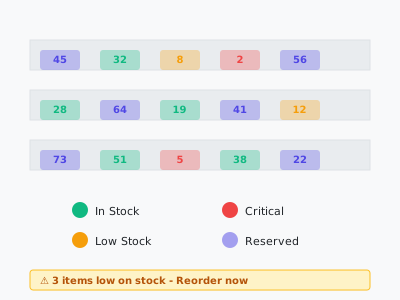
Ingredients and finished items move as orders come in, so the alert reaches you before a dish has to leave the menu mid-service.

  • Live stock counts, with manual adjustments when you need them
  • Low-stock alerts and reorder levels
  • Stock transfers between outlets
  • Consumption worked out from your recipes
  • Supplier records and purchase orders
  • Batch numbers and expiry dates
Stock and Inventory Interface

Multi-Outlet Management

Run every outlet from one login

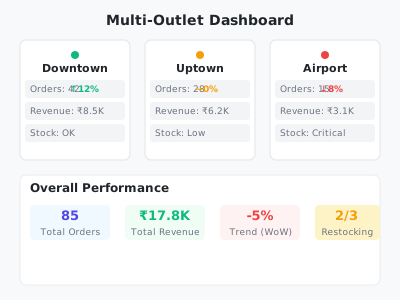
Push a menu or a price change once and it lands everywhere, while sales and stock reports roll up into one view for the chain.

  • One menu, managed centrally for all outlets
  • Prices and tax rules set per outlet
  • Sales and stock reports combined across the chain
  • Staff managed across locations
  • One loyalty programme across outlets
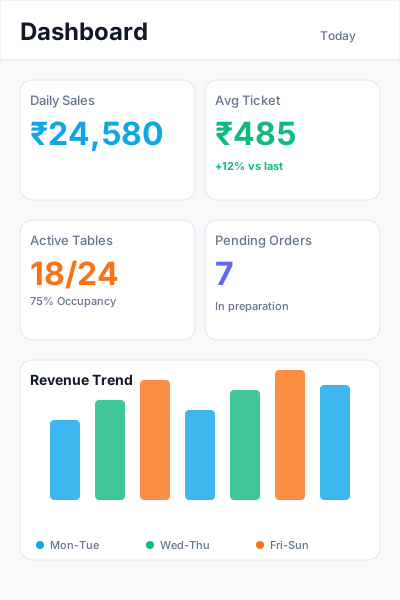
  • A single dashboard for every outlet
Multi-Outlet Management Interface

Reports & Analytics

See what is actually selling

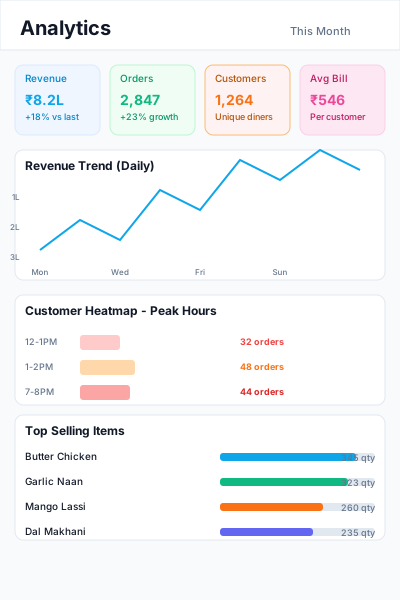
Sales, tax and stock sit in one place, so you can spot slow items and your busiest hours without adding numbers up by hand.

  • Sales dashboards that update as the day goes on
  • Tax reports for GST, CGST, SGST and IGST
  • Stock and consumption reports
  • Staff performance records
  • Customer purchase history
  • Export to PDF or Excel for your records
Reports & Analytics Interface

Want to see it on your own menu?

Try it free for 14 days — no credit card, no commitment.

Get Started